open-source · local-first · in development
Markdown notes you own. Agent access you can trust.
A fast live-preview editor, backlinks, and a knowledge graph over ordinary .md files on your disk. And when you want AI in your notes, agents read them right on your machine — never in someone else's cloud.
No public release yet — macOS, Linux, Android, iPhone and iPad builds are designed and coming. Free and open source when it lands, and it never needs an account.
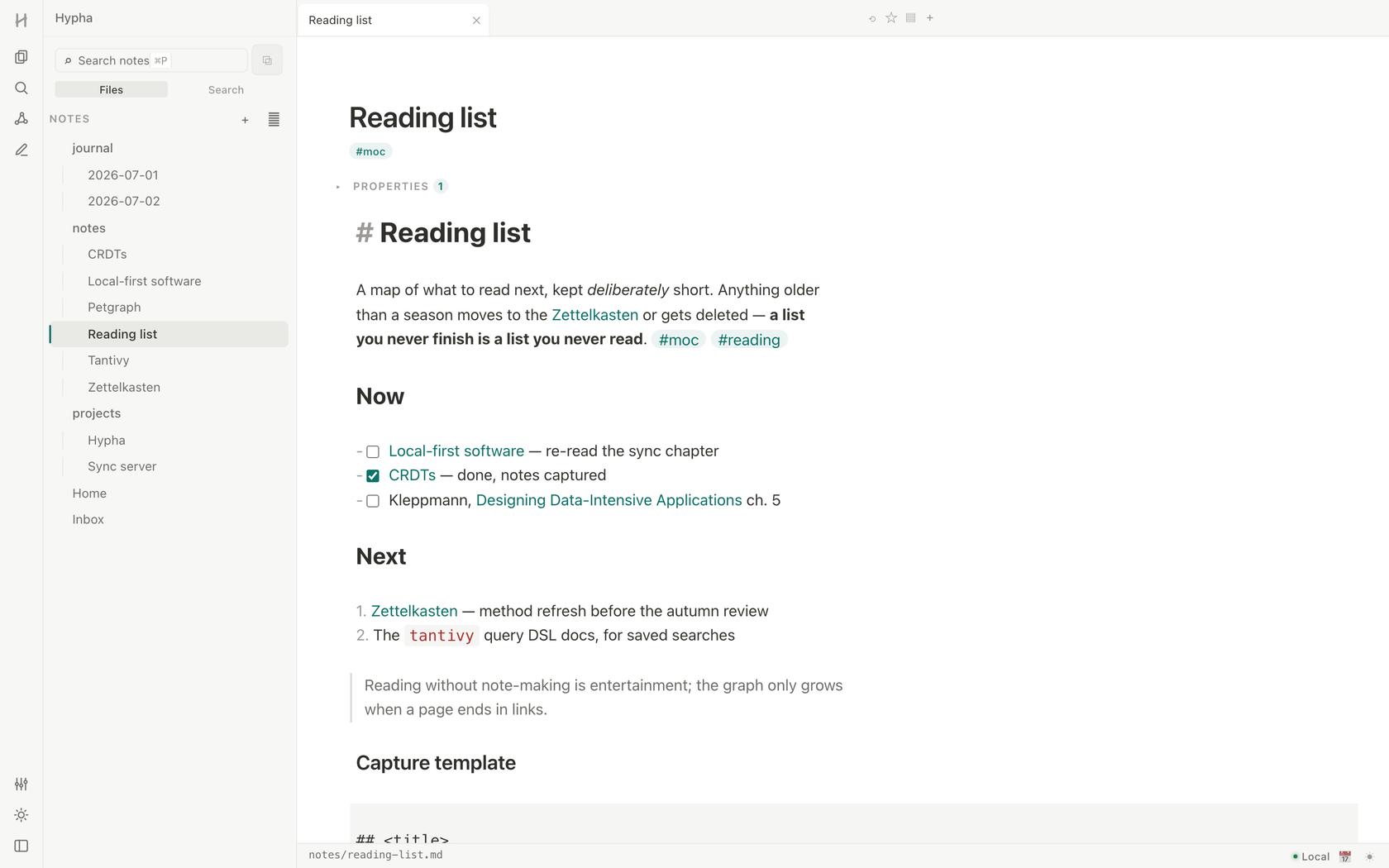
the daily tool
Everything a serious markdown notes app owes you
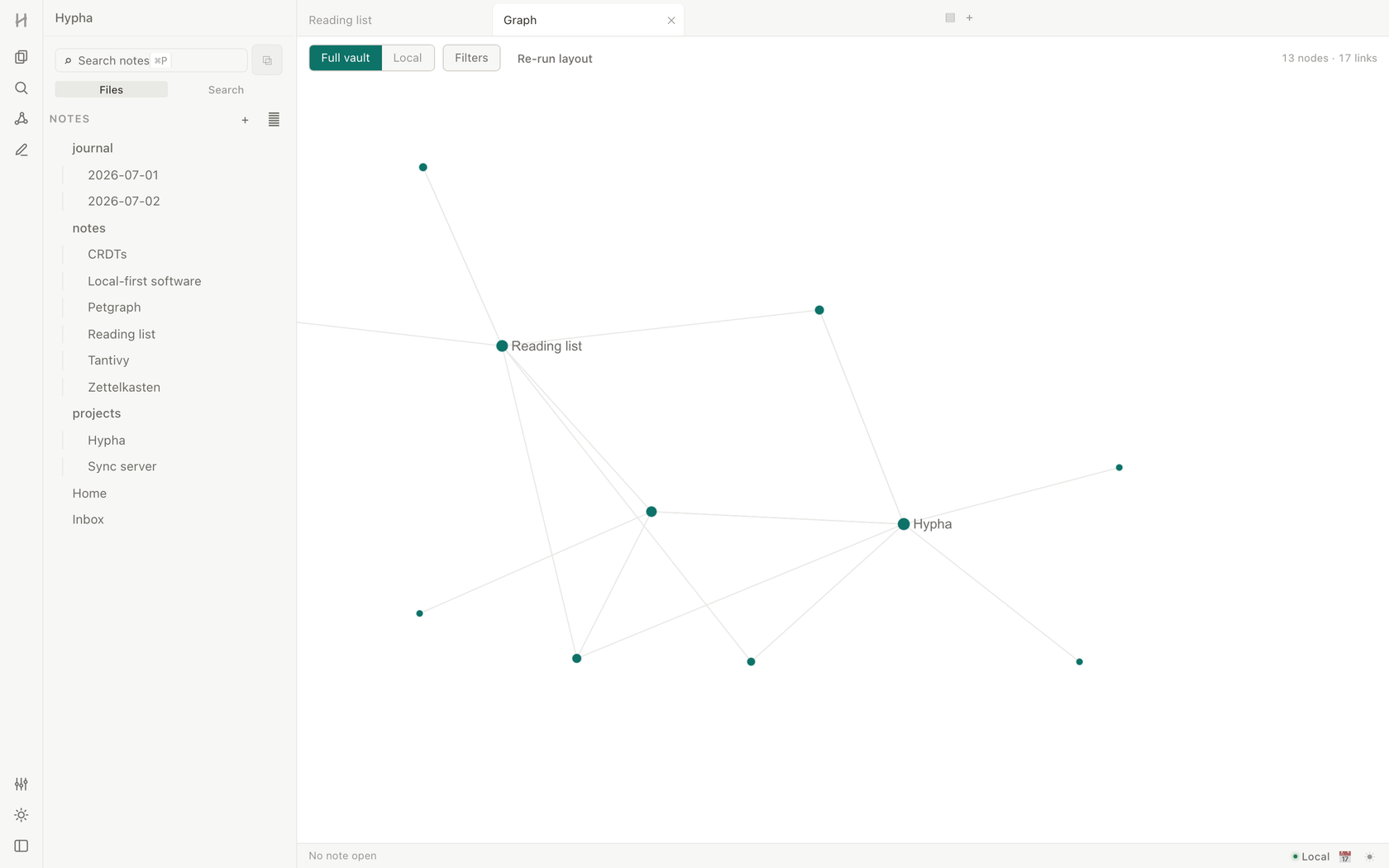
A knowledge graph over real files
Wikilinks, backlinks, and an interactive graph view — computed from the plain .md files in your folder, never from a private database. Unresolved links show you where your thinking wants to go next, and a local graph maps each note's neighborhood.
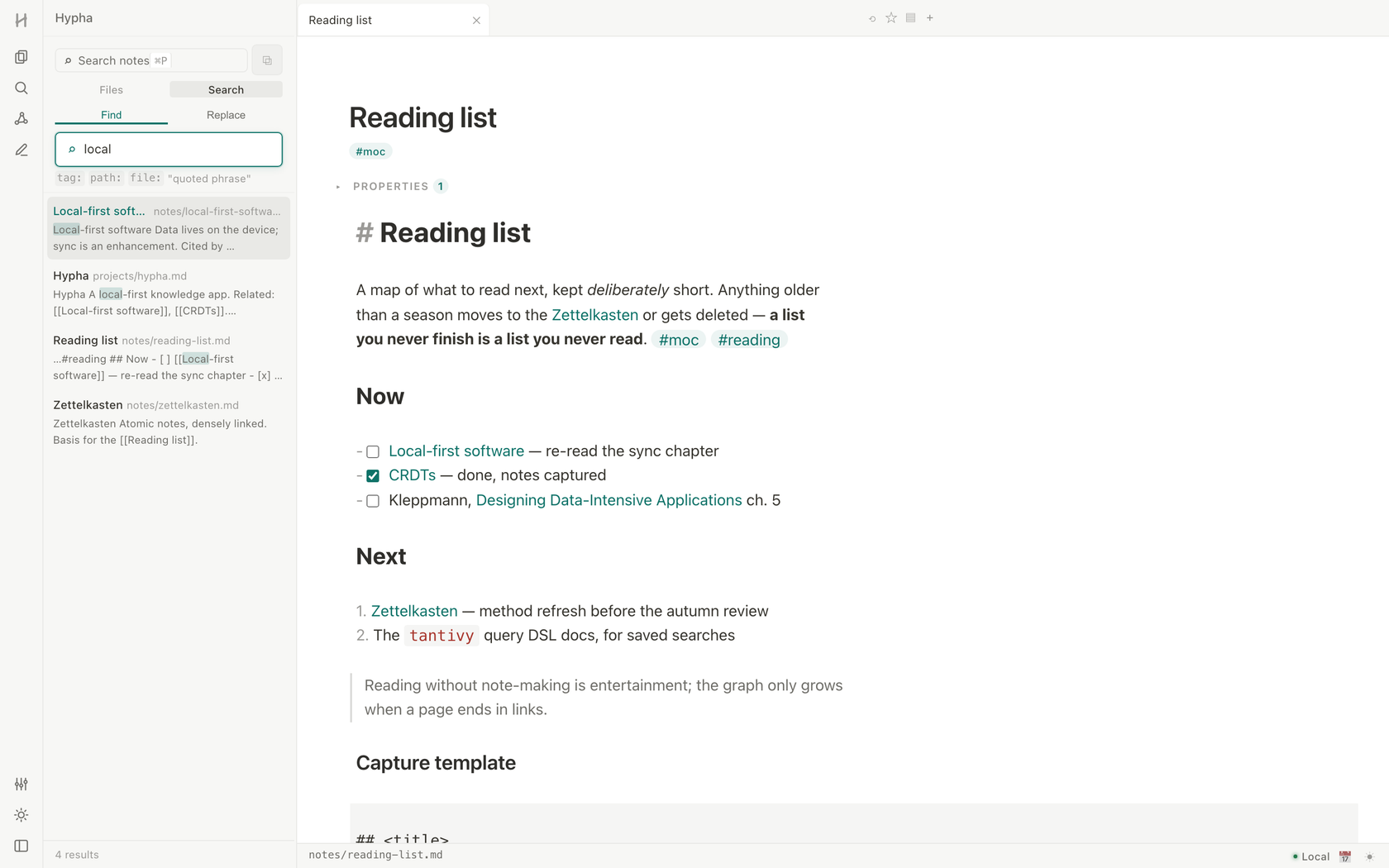
Search that respects a big vault
Full-text search with highlighted snippets, plustag:, path:, file: and quoted phrases — indexed entirely on your machine, instant even in a vault with thousands of notes. A fuzzy quick switcher jumps to anything.
Live-preview editing
Write markdown, read it rendered — wikilinks, tags, tasks, embeds, callouts, code and math display in place, while the file on disk stays clean, plain text you could open anywhere.
Templates & daily notes
One keystroke opens today's note; templates keep captures consistent. The habit loop that makes a vault stick, built in.
Your files, no lock-in
A vault is just a folder of notes on your disk. Open it in any editor, back it up any way you like, take it anywhere. Delete the app and you lose nothing — ever.
Sync that can't read your notes coming
Optional end-to-end encrypted sync across your devices: notes are encrypted before they leave your machine, so no one else can read them — not even us. Full version history included.
agent-native, not ai-flavored
Your agents can read your vault.
Your notes never leave your machine.
Ask Claude — or any AI assistant you already use — about your own notes: "what did I decide about X?", "summarize my reading list". Connect it with one command, and it reads your vault directly on your machine. No cloud, no upload, no account — and read-only, so nothing can rewrite your notes behind your back.
# connect your notes to Claude — one command
$ claude mcp add hypha -- hypha mcp ~/notes- Rename anything — nothing breaks. Move a note, rename it, reorganize your whole folder: links, backlinks and what your agents remember all keep pointing at the right note.
- Answers, not data dumps. Agents fetch exactly the passage they need — never your whole vault — so answers come back fast and your notes are not sprayed into a chat window.
- Agents see what you see. The app, the search and your AI all read the same files on your disk. No exports, no copies, no "sync to our servers first".
questions
Frequently asked
Can I use Hypha today?
Not yet. Hypha is being built in the open and there is no public release — no build to install and no store listing. What you see on this page are real screenshots of the working app, not mockups. Join the early-access list and you will hear on the day the first release goes out.
Is Hypha free?
Yes. Hypha is free and open source, with no account, no trial and no feature gates. Syncing your notes across devices is part of the free plan. Development is intended to be funded by an optional Pro plan that raises the managed limits and adds custom domains — the app itself never depends on it and stays free.
What platforms does Hypha run on?
Hypha is built for macOS, Linux, Android, iPhone and iPad — all designed and coming, with no public release yet. Every one of them works over the same folder of plain markdown files, so a vault opens identically everywhere.
Where are my notes stored?
In a folder you choose on your device, as plain markdown (.md) files. Your files are the only source of truth — you can open the same folder with any other editor, back it up however you like, and if you ever delete Hypha you keep every note, exactly as you wrote it.
Does Hypha work offline?
Completely. Hypha is local-first: writing, search, backlinks and the graph all run on your machine with no account and no internet connection. There is nothing to sign into and no server between you and your notes.
Can AI agents read my notes? Is that private?
If you want them to, yes — and it stays private. Hypha has agent access built in: connect Claude or any compatible AI assistant with one command, and it reads your notes directly on your machine. Nothing is uploaded, there is no cloud AI inside Hypha, and access is read-only — nothing can rewrite your notes behind your back.
What is Hypha Sync?
A free, optional service that keeps your notes in sync across devices with end-to-end encryption: notes are encrypted before they leave your device, so not even we can read them. A paid Pro plan raises the managed limits, but syncing itself costs nothing. It is in development and not open to sign-ups. Until it ships — and after — you can sync your folder with any tool you already trust.
Is Hypha open source?
Yes. The entire app — editor, search, graph and agent access — is licensed under the AGPL-3.0, so every line of the code that touches your notes is yours to read, audit and fork. The source publishes alongside the first public release; it is not browsable yet.
early access
The first release
goes out to this list.
Hypha is still being built in the open, and there is no public build yet. Leave an email and you get exactly one message: the day the first release lands. No newsletter, no drip sequence.
macOS, Linux, Android, iPhone and iPad builds are designed and coming, over the same folder of plain .md files.
Free & open source · AGPL-3.0 · your notes stay on your devices